
The Wall Street Journal. News
Dow Jones & Company, Inc.News & Magazines
4.221.57K Reviews
- Version
- 15.12.0.42675
- Installs
- 5.00M
- Age Rating
- Everyone 10+
Screenshots
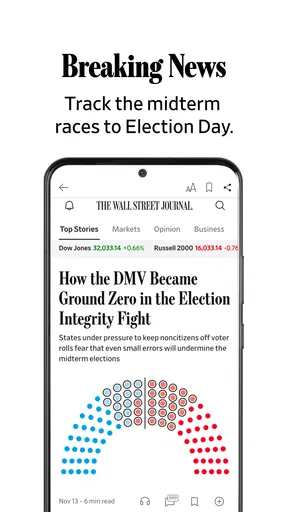



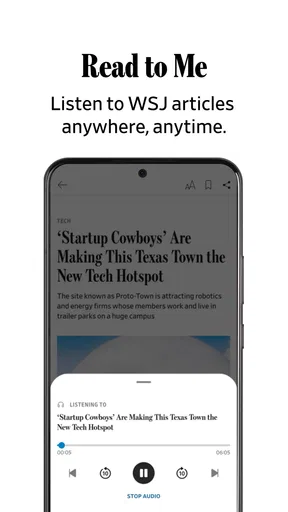
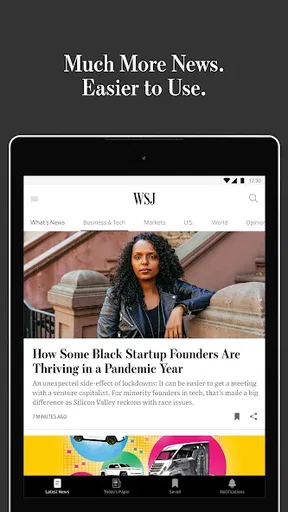
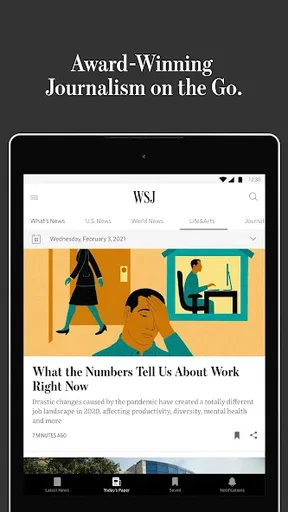
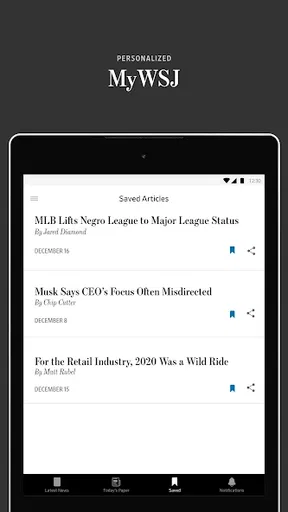
Our Review of The Wall Street Journal. News
 Analysis by Appyee
I tend to reach for The Wall Street Journal. News when I want more than a quick headline and a string of reactions. It is a news app from Dow Jones & Company, Inc., with a strong emphasis on business and markets alongside coverage of major events around the world. That focus makes it useful when I want to understand why a market move or corporate decision matters, not just see that it happened. It is less compelling if all I need is a broad, casual scan of every topic.
Where readers can get stuck
The first point to think through is access. The app is free to install, but its journalism is organized around a subscription model, and in-app purchases range from $0.99 to $399.99 per item. I would not assume that installing it means every article is included at no cost. If you are deciding whether it belongs in your daily routine, first check what you can read without subscribing and what access a particular purchase provides. The right choice depends on how often you return, not simply on how much you like the first few headlines.
This distinction matters especially if you open a story from a notification or a shared link and meet an access prompt. That does not automatically mean the app is broken: the story may require a subscription or another form of access. I treat that screen as a cue to decide whether this is a one-off read or evidence that I would regularly use the reporting. If I only want a quick account of a developing general-news story, another source may be more convenient; if I want sustained business reporting, the Journal’s focus can justify a closer look.
Setup checks before making it a habit
Before settling in, I would make a few simple checks rather than troubleshooting blindly. Confirm that the device meets the minimum operating-system requirement, then install the current version available for it. The Android release is listed as version 6.33.0.24049, with a minimum OS of 7.0. The app is rated Everyone 10+, which is worth bearing in mind if you are choosing news access for a younger reader; that rating is not a promise that every article will suit every family.
I also recommend deciding what you want the app to do before adjusting anything. If you mainly want a morning overview, start by browsing the main news and business coverage, then notice which sections you actually return to. If markets are your priority, make that the first stop rather than trying to follow every topic at once. This small choice makes the experience feel more deliberate and helps prevent a large news feed from becoming another source of distraction.
Recovering your reading workflow
When a story does not open as expected, I work through the issue in order: check that the device has a working connection, close and reopen the app, and see whether the same problem happens with another article. If only one story is affected, the obstacle may be tied to that content or its access requirements rather than the whole app. If several sections behave unexpectedly, checking for an available update and restarting the app are sensible first steps before reinstalling anything.
Notifications deserve their own bit of housekeeping. A phone that is already busy can make even useful breaking-news alerts feel intrusive. I would allow alerts only if I genuinely want news to interrupt the day, then review the available alert choices and keep the ones that match my interests. For a calmer routine, opening the app at set moments is often better than reacting to every ping. That is a practical trade-off: immediate awareness in exchange for more interruptions.
Getting Started with WSJ
Downloading the The Wall Street Journal. News app was a breeze. A quick search in the App Store or Google Play Store, a tap, and I was in. Right off the bat, the app greeted me with a sleek, user-friendly interface that screamed professionalism. I mean, it's WSJ—what else would you expect?
Interface and Usability
The design is clean and intuitive. Navigating through the app felt like flipping through a well-organized digital newspaper. The headlines are bold, the layout is uncluttered, and everything is just a tap away. What I appreciated most was the ability to customize my feed. Whether I was interested in global politics, tech trends, or stock market updates, the app let me tailor my news experience.
In everyday use, I find it helps to give the feed a clear job instead of treating it as an endless stream. For example, on a commute I might scan the headlines and save deeper reading for later; before a meeting, I might look for reporting that explains a company or industry development. Those are different reading moods, and choosing one makes it easier to stop when I have what I need. I would also avoid judging the service from a single visit: a newspaper-style app becomes more useful when I learn which sections offer the context I regularly seek.
Content Quality
When it comes to content, WSJ doesn't mess around. The articles are well-written, thoroughly researched, and provide a depth of insight that's hard to find elsewhere. There’s a mix of breaking news, in-depth analysis, and opinion pieces. Plus, the app offers exclusive content that you won’t find on their website. As someone who values quality journalism, I felt like I was getting a premium experience.
The practical strength here is the connection between business developments and the wider news agenda. If I am following a company, a policy change, or a market story, explanatory reporting can be more useful than a rapid succession of short updates. I still treat analysis and opinion as different from straight reporting: knowing which kind of piece I am reading helps me separate what happened from how an author interprets it. For fast-moving stories, I find it sensible to read the latest account and then return to a fuller analysis rather than expecting one article to answer every question.
Notifications and Alerts
Now, let's talk about notifications. We all know how annoying they can be, right? But WSJ has nailed it. The app sends timely alerts for major events without overwhelming you with constant pings. You can also choose which types of alerts you want, so your phone isn’t buzzing every five seconds.
For a realistic routine, imagine checking the phone over breakfast before a workday. A market alert may be relevant if I need to understand the day’s business news, while a steady stream of unrelated notifications would only pull me away from getting ready. I would start with a narrow set of alerts, live with that setup for a few days, and then adjust. If I find myself dismissing them without reading, that is a good sign to turn them off and use a planned check-in instead.
Multimedia Features
Another standout feature is the multimedia content. From podcasts to videos, the WSJ app has it all. The integration of these elements is seamless, providing a more engaging way to consume news. The podcasts, in particular, are a personal favorite. They cover a range of topics and are perfect for those moments when you want to stay informed but are on the go.
Audio and video suit different situations from reading. I would choose a podcast when my attention is free but my hands are occupied, and save a detailed article for a moment when I can concentrate on names, figures, and context. That is not just a convenience preference: listening while multitasking can make it easy to miss a qualification or important detail. If I am trying to make sense of a complicated business story, reading is usually the better format; if I want a broad update during a walk, audio is a natural alternative.
Subscription and Pricing
Of course, quality comes at a price. The app operates on a subscription model, which might be a downside for some. However, considering the high-caliber content and the exclusive access you get, I’d say it’s worth every penny. Plus, they often offer deals for new subscribers, so keep an eye out for those.
The app itself is free, but that should not be confused with unlimited free reading. I would compare the expected cost with my actual habits: someone who reads Journal reporting throughout the week may value access differently from someone who opens one article every few weeks. The available in-app purchase prices vary widely, so I would review the purchase details in the app before committing and make sure I understand which option I am choosing. I would not subscribe just because a prompt appears while I am curious about one story.
When the app is not the cause
Sometimes the source of friction is the reading situation, not the software. A weak connection can interrupt loading; a notification arriving at the wrong time can make the app feel noisier than it is; and an article access prompt can reflect subscription limits rather than a technical fault. Separating those cases saves needless resets. If the same issue continues across multiple stories after basic checks, then updating or restarting is reasonable; if it is limited to one story, I would first look at that story’s access and try again later.
There is also a question of fit. People who want a highly personalized stream of every local, sports, entertainment, and lifestyle topic may prefer a broad news aggregator or a local publisher as their everyday starting point. Those alternatives can make it easier to scan many sources in one place. I would choose the Journal when its business and markets perspective is central to what I want to follow, not expect it to replace every source I use for every subject.
Who will get the most from it
I think this app makes the most sense for readers who return to business reporting, market developments, and global news and who are willing to spend time with longer explanations. It can also suit someone who wants a mixture of written journalism and audio or video, depending on the moment. A professional tracking an industry, a student trying to understand economic news, or a curious reader following a major corporate story may find that depth more useful than a feed built only around quick headlines.
It is a less natural fit for someone who wants a completely free, all-purpose news routine or who prefers only short summaries. It may also be the wrong choice if paid access would be used rarely or if frequent breaking alerts would be stressful. In those cases, I would keep a free general-news source for quick scanning and use the Journal selectively when its particular reporting is worth the time or access cost. That is a more realistic role than expecting one app to satisfy every news need.
Final Thoughts
In a world where misinformation is rampant, having a reliable source of news is invaluable. The The Wall Street Journal. News app delivers on all fronts—content quality, user experience, and customization. It's like having a personal news concierge in your pocket. Whether you’re a news junkie or someone who simply wants to stay informed, I highly recommend giving this app a try. Trust me, you won’t be disappointed.
My recommendation is more specific: try it if business and markets coverage is a regular part of your reading, and judge the subscription against that real routine rather than the promise of reading more someday. The app has a 4.3 average from around 86,000 ratings, and more than five million installs; that suggests broad use, though it cannot tell you whether its focus fits your interests. For me, its best role is a considered source for understanding consequential stories, complemented by other outlets when I want a wider or more local mix.
Privacy and Permissions
See what permissions an app requests and how it handles your data.
- Camera
- take pictures and videos
- Wi-Fi connection information
- view Wi-Fi connections
- Other
- view network connections, change network connectivity, full network access, reorder running apps, control vibration, prevent device from sleeping
Verdict
Strengths of The Wall Street Journal. News
- Comprehensive news coverage.
- User-friendly interface.
- Customizable notifications.
- Offline reading mode.
- Reliable source credibility.
Limitations of The Wall Street Journal. News
- Subscription required for full access.
- Occasional ad interruptions.
- Limited multimedia content.
- Navigation can be slightly complex.
- Heavy on data usage.
Other Releases by Dow Jones & Company, Inc.
View All
MarketWatch
Finance4.2

Investor's Business Daily
Finance4.4

Barron's: Investing Insights
News & Magazines3.1

MarketSurge
Finance4.2
Similar Picks in This Category
View All
Google News - Daily Headlines
Google LLC4.0

X
X Corp.4.8

Flipboard:Your Social Magazine
Flipboard3.4

Opera News: breaking & local
Opera4.5

Hindi News by Dainik Bhaskar
Dainik Bhaskar Group4.0

Way2News Daily News App
Way2News ( Formerly Way2SMS )4.6
Frequently Asked Questions
What features does The Wall Street Journal app offer?
The Wall Street Journal app provides a range of features, including breaking news alerts, access to articles across various categories like business, politics, and technology, and personalized news recommendations. Users can also enjoy multimedia content such as videos and podcasts, and access to the WSJ's comprehensive market data and analysis.
Is there a subscription required to access content on The Wall Street Journal app?
Yes, while the app can be downloaded for free, access to most of the content requires a subscription. The Wall Street Journal offers different subscription plans, allowing users to choose according to their needs, whether they want digital access only or additional print delivery. Some introductory offers may be available for new subscribers.
Can I customize the news feed on The Wall Street Journal app?
Absolutely! The app allows users to personalize their news feed by selecting their favorite topics and sections. This customization helps ensure that users receive updates and articles that match their interests. Additionally, users can set up notifications for specific news alerts and updates to stay informed about the topics they care about most.
Is The Wall Street Journal app available on both Android and iOS devices?
Yes, The Wall Street Journal app is available for both Android and iOS devices. Users can download it from the Google Play Store or Apple App Store. The app is optimized for both smartphones and tablets, providing a seamless reading experience across different devices and screen sizes.
How user-friendly is The Wall Street Journal app for new users?
The Wall Street Journal app is designed with a user-friendly interface, making it easy for new users to navigate. The app's layout is intuitive, with clearly labeled sections and a straightforward menu. Additionally, the app offers tutorials and guides to help new users get accustomed to its features and maximize their reading experience.
